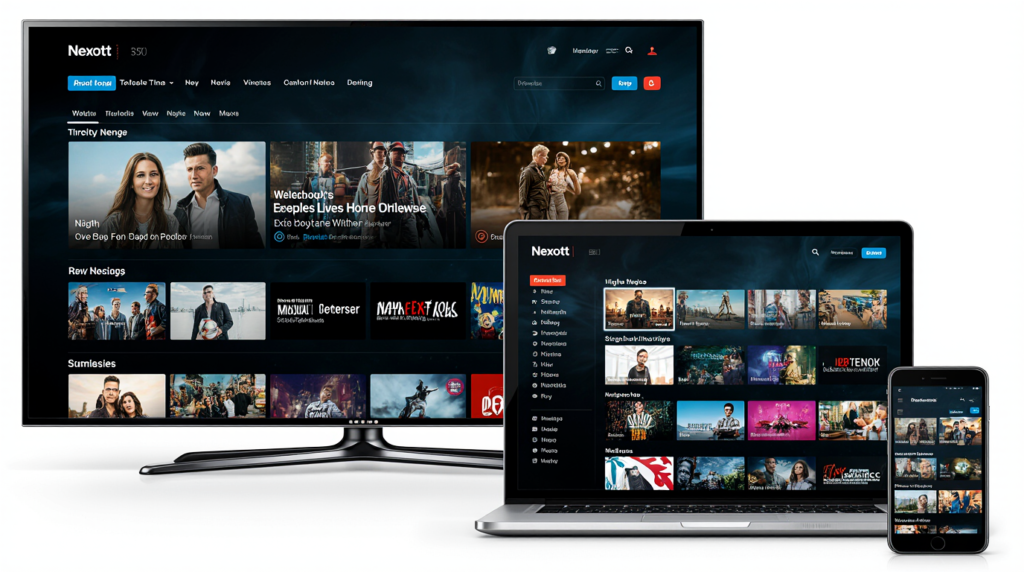
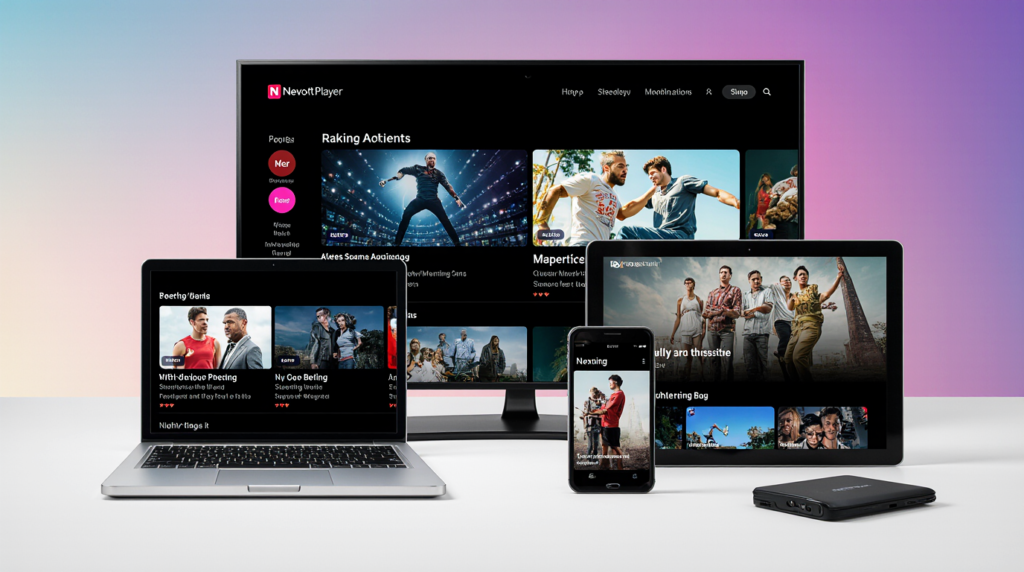
The way Americans consume television has fundamentally changed, shifting dramatically from traditional cable bundles to flexible, internet-based streaming. Internet Protocol Television (IPTV) represents the pinnacle of this shift, offering thousands of channels and on-demand content through a simple internet connection. To unlock this universe of content, however, you need a dedicated, high-performance application, and that is where the Nexott Player enters the scene as a major contender.
This comprehensive guide will deep-dive into the features, setup, and performance of the Nexott Player, providing you with all the information required to decide if it is the right player for your streaming needs. We will cover everything from initial installation on your Firestick or Android TV to advanced configuration and a direct comparison against popular rivals like IPTV Smarters Pro. By the end of this article, you will have an expert understanding of how the Nexott Player can transform your home entertainment experience.
📺 Understanding the Nexott Player Ecosystem
The Nexott Player has quickly gained traction among IPTV enthusiasts in the United States and globally due to its balance of advanced features and user-friendly design. It serves as the critical bridge between your IPTV service provider’s content streams and your viewing screen. Understanding its role is key to appreciating its value within the vast world of digital media.
What Exactly is the Nexott Player?
The Nexott Player is a dedicated media player application designed specifically for streaming content delivered via the IPTV protocol. Importantly, the Nexott Player does not provide its own channels, movies, or TV shows; it is simply the software interface used to display content from a separate IPTV service provider you must subscribe to. Think of the player as the modern equivalent of a smart TV’s built-in cable box, which requires a subscription to actually receive channels. It supports multiple connection types, including the common M3U playlist file and the Xtream Codes API login method.
To use the application, you need three things: an internet-connected device, an active IPTV subscription, and the Nexott Player application itself. The player takes the raw data feed from your provider’s server and translates it into a clear, organized, and viewable format, complete with an Electronic Program Guide (EPG). Its core strength lies in its ability to handle high-resolution streams, including 4K content, efficiently and with minimal buffering compared to many generic video players. This makes the Nexott Player a powerful tool for serious streaming aficionados.
Why Choose Nexott Player Over Other IPTV Applications?
While the market is saturated with IPTV player apps like IPTV Smarters Pro and TiviMate, the Nexott Player distinguishes itself through its dedication to a clean interface and robust, free features. Unlike some competitors that gate essential functions behind a premium paywall, Nexott Player often provides crucial tools like multi-playlist management and integrated Catch-Up TV functionality at no cost. This commitment to accessibility makes it a highly attractive option for users seeking a premium experience without recurring subscription fees for the player itself.
A major technical advantage often cited by users is the player’s alleged stability, particularly its handling of live sports and high-action content, which are notorious for causing buffering on less-optimized players. The Nexott Player is specifically engineered to work flawlessly across a wide array of Android-based devices, including the highly popular Amazon Firestick and various Android TV boxes. Its design prioritizes low resource consumption, ensuring a smooth playback experience even on older or less powerful streaming hardware. The player’s constant, user-driven updates also means that bugs are quickly addressed, ensuring high operational reliability.
The Core Nexott Player Features (A Detailed Overview)
The Nexott Player is packed with features that elevate the standard IPTV viewing experience into a comprehensive entertainment platform. These features are designed to enhance user convenience, content discovery, and stream quality.
Key features that define the Nexott Player experience include:
Comprehensive EPG Support: The player excels at integrating a full Electronic Program Guide (EPG) that provides detailed program information, start/end times, and descriptions for up to a week in advance.
Catch-Up TV Functionality: This highly valued feature allows users to rewind and watch programs that aired days or even weeks in the past, provided the IPTV service provider supports this rewind option. This eliminates the fear of missing a live event or show.
Intelligent Channel Organization: Channels are automatically grouped into logical categories (e.g., Sports, News, Movies), but users retain the ability to create personalized favorite lists and custom sorting rules.
Multi-Playlist Management: Users can seamlessly manage and switch between multiple IPTV service providers or M3U files within a single, unified Nexott Player interface, which is a significant organizational benefit.
Full Customization: The interface is not static; users can often adjust visual themes, layout options, and even the appearance of the player controls to match their personal aesthetic preference.
⚙️ Step-by-Step Setup Guide: Installing and Configuring Nexott Player
Getting started with the Nexott Player is straightforward, but it requires a few key steps to ensure seamless integration with your IPTV service. Since the application is most popular on Android-based devices, we will focus on the most common installation methods used by US consumers. Always remember that the quality of your stream depends heavily on your internet speed, so a stable connection of at least $25 \text{ Mbps}$ is recommended for HD content.
How to Download Nexott Player on Popular Devices
The installation process varies slightly depending on your specific streaming hardware. For the vast majority of users in the US, the app is available directly on major platforms.
Installation on Android Devices (Smart TVs, Phones, Tablets):
Navigate to the Google Play Store on your device.
Use the search bar and type in “Nexott Player”.
Select the official app from the results and press “Install”.
Once the installation is complete, open the Nexott Player to proceed with the configuration.
Installation on Amazon Firestick/Fire TV (Sideloading Method):
Go to Settings on your Firestick, then select My Fire TV, and choose Developer Options.
Enable “Apps from Unknown Sources” and “ADB Debugging” (if available).
Download the Downloader app from the Amazon App Store, as you cannot directly access the Google Play Store.
Open the Downloader app and enter the official URL provided by the developers to download the latest Nexott Player APK file directly.
Follow the on-screen prompts to install the application after the download finishes.
Nexott Player Configuration: The First Run
Once the application is installed, you need to link it to your IPTV service provider. The Nexott Player supports the two industry-standard methods: M3U Playlist and Xtream Codes API. The latter is often preferred for its richer data transfer, including EPG and VOD metadata.
Configuration Steps (Using Xtream Codes API):
Open the Nexott Player: Upon the first launch, you will typically be prompted to add a profile or provider.
Select API Login: Choose the option that specifies “Xtream Codes API” (or similar wording, often labeled Generic Middleware Server).
Enter Credentials: You must input three pieces of information provided by your IPTV service provider:
Server URL (URL): This is the portal address (e.g., http://yourserver.com:8080).
Username (Login): Your unique account login ID.
Password (Pass): Your unique account password.
Click Apply: The Nexott Player will connect to the server, authenticate your credentials, and begin downloading your channels and EPG data. This process may take several minutes depending on the size of the content library.
FAQ:What are M3U and Xtream Codes, and which is better for Nexott Player?
M3U is a simple text-based playlist file containing direct stream URLs, while Xtream Codes API is a robust protocol that provides richer data, including VOD categories and detailed EPG info, making the API method superior for a full Nexott Player experience.
Optimizing Nexott Player Settings for Best Performance
To ensure a smooth, high-quality viewing experience, you should tweak a few key settings within the Nexott Player. These small adjustments can drastically reduce buffering and improve the overall feel of the application.
Adjusting the Video Decoder: In the settings menu, look for Player Settings or Video Decoding. Try switching the decoder from Hardware to Software (or vice-versa) if you experience image distortion or poor performance. Hardware decoding uses the device’s main processor and is usually faster, but software decoding can fix issues on certain media formats.
External Player Support: The Nexott Player often supports linking to external players like MX Player or VLC. If the built-in player is causing stability issues, you can configure the app to launch streams using one of these highly optimized external applications.
Buffer Size and Network Settings: While specific settings vary, look for options related to Buffer Size or Connection Timeout. Increasing the buffer can help reduce stuttering on slightly slower connections, although it will also increase the initial channel load time.
🚀 Nexott Player Performance and Reliability Review
The true measure of any IPTV player is its day-to-day performance. An application can have all the features in the world, but if it buffers constantly or crashes frequently, it becomes unusable. The Nexott Player has earned its reputation in the US market largely because of its dedication to stability and stream quality.
Speed and Stability: Analyzing the Nexott Player Experience
The Nexott Player is generally praised for its quick channel-switching times and minimal startup lag. Speed is paramount in a live TV environment, and the player’s optimized code ensures fast server communication and rapid stream initiation. While buffering is often blamed on the IPTV provider or the user’s internet speed, the player’s internal efficiency is also a major factor. The Nexott Player utilizes advanced internal algorithms that manage the data stream effectively. This results in noticeably fewer buffering incidents during peak hours compared to less-optimized alternatives.
Performance Metrics Snapshot:
Metric
Target/Ideal
Nexott Player Performance
Impact on User
Channel Load Time
< 2 Seconds
< 1.5 – 2 Seconds
Instantaneous feel, less frustration
Buffering Frequency
Near Zero
Low to Very Low
Smooth viewing, crucial for sports
4K Stream Handling
Stable 30-50 Mbps
Excellent
High-fidelity image and sound
App Resource Use
Low
Efficient
Less strain on Firestick/Android Box
User Interface and Experience (UI/UX) of Nexott Player
A cluttered or confusing interface can ruin the streaming experience, even with perfect channel stability. The Nexott Player provides a polished, intuitive interface that is easy to navigate, particularly with a TV remote control.
The visual design is modern, with large, clear thumbnails for VOD titles and an Electronic Program Guide (EPG) that maximizes screen space for channel lists. Navigation is logical, utilizing the standard TV-remote directional pad for fluid movement between categories, channels, and settings. This high degree of remote-control optimization is crucial for users accustomed to traditional TV viewing habits.
Comprehensive Content Management within Nexott Player (VOD and Live)
One of the Nexott Player’s standout features is its ability to seamlessly manage massive content libraries. Modern IPTV subscriptions can include thousands of live channels and tens of thousands of Video-on-Demand (VOD) titles, which can easily overwhelm a basic player.
VOD Sorting and Filtering: The player excels at fetching and organizing VOD metadata (like movie posters, synopses, and release years) and providing intuitive filtering options. Users can quickly filter content by genre, year, or search using the keyboard.
Smart Channel Categorization: The player uses smart logic to sort channels into categories like News, Entertainment, and regional lists (e.g., US Locals, UK Sports), but allows for easy custom renaming and creation of personal “Favorites” lists.
Catch-Up Integration: The EPG is fully interactive, meaning clicking on an aired show often immediately launches the Catch-Up stream, a feature that feels seamless and intuitive, directly competing with cable’s On-Demand services.
🛠️ Nexott Player Troubleshooting and Common Issues
Even the best-designed applications can run into occasional issues, usually related to network configuration or data conflicts. Knowing how to quickly troubleshoot common problems with the Nexott Player will save you time and ensure minimal interruption to your viewing.
Fixing Common Nexot Player Buffering Problems
Buffering is the most frequent complaint in the IPTV world, and while it often points to a service provider’s overloaded servers, the player itself can sometimes be optimized.
Troubleshooting Steps for Buffering:
Check Internet Speed: Use an external speed test on your device (e.g., via the browser or a dedicated app) to confirm you have at least $15 \text{ Mbps}$ for HD and $35 \text{ Mbps}$ for 4K streaming. A weak Wi-Fi signal is often the culprit.
Clear App Cache: In your device’s settings, navigate to Apps > Nexot Player > Storage and select Clear Cache. Cached data can sometimes become corrupted, slowing down performance.
Adjust Decoder Settings: As noted in the optimization section, try switching between Hardware and Software video decoding within the Nexot Player settings to see which performs better on your specific device.
Resolving “Channel Not Available” or “Connection Failed” Errors
These errors almost always point to a problem with your connection details or your IPTV subscription status. The Nexot Player is simply reporting that the server is rejecting the request.
Verify Credentials: Double-check your Server URL, Username, and Password for typos, paying special attention to capitalization and punctuation. Even a single incorrect character will result in a connection failure.
Check Subscription Status: Contact your IPTV provider to confirm your subscription is active and has not expired. The “Connection Failed” message is the player’s way of saying the provider’s server has denied access.
VPN Interference: If you are using a Virtual Private Network (VPN), try connecting to a different VPN server location or disabling the VPN temporarily. Some IPTV servers block certain IP ranges, and your VPN might be routing you through a blocked location.
Nexott Player Updates and Maintenance
Keeping the Nexott Player updated is essential for security, stability, and access to new features. Updates often include critical bug fixes and performance enhancements that prevent long-term issues.
Google Play/App Store: If you installed the app from an official store, updates will be handled automatically or will be available under the “My Apps” section.
Sideloaded APK: If you installed the app via an APK file (common on Firestick), you will need to periodically check the official source or developer site for a new APK file and repeat the installation process to overwrite the old version.
Resetting the App: If all troubleshooting fails, a full reset can resolve deep-seated issues. Go to the device settings, clear the Nexot Player app Data (not just the cache), and re-enter your IPTV credentials.
⚔️ Nexott Player vs. The Competition: A Head-to-Head Comparison
To understand the full value proposition of the Nexot Player, it is necessary to see how it stacks up against its most popular rivals in the US market: IPTV Smarters Pro and TiviMate. Each player has a different focus, and the “best” choice depends on your personal priorities.
Nexott Player vs. IPTV Smarters Pro
IPTV Smarters Pro is arguably the most recognized third-party player globally, often branded and distributed by service providers themselves. However, the Nexott Player offers a compelling alternative, especially concerning feature access and interface design.
Feature Category
Nexot Player (Strengths)
IPTV Smarters Pro (Strengths)
Interface/UI
Clean, Modern, Intuitive
Standardized, Highly Recognizable
Pricing Model
Many Premium Features Free
Base features free, Key features are Paid
Customization
Excellent visual themes and layouts
Moderate, mostly restricted to premium
Catch-Up TV
Seamlessly integrated from the EPG
Reliable, but integration is less intuitive
Multi-Source
Strong support for multiple profiles
Strong support for multiple profiles
Remote Optimization
Excellent for dedicated streaming boxes
Very good
The Nexot Player generally provides a more streamlined and visually appealing experience right out of the box, without the constant nudges to upgrade that you find in Smarters Pro. For users who prioritize a clean, un-gated feature set, Nexot Player often wins.
Nexott Player vs. TiviMate
TiviMate is often considered the gold standard for its EPG-centric design, which mimics a classic cable TV guide perfectly. The comparison here is one of focus: TiviMate focuses on pure, fast, linear channel viewing, while Nexott Player offers a more balanced media center experience.
EPG Focus: TiviMate is unparalleled in its EPG customization, but the Nexott Player still provides an excellent, full-screen EPG that is highly functional. VOD Experience: The Nexott Player excels in its dedicated Video-on-Demand (VOD) library browsing, utilizing artwork and detailed metadata to create a Netflix-like feel. TiviMate’s VOD capabilities are functional but are not its primary focus. Multi-View: TiviMate’s premium version offers a multi-view feature (watching multiple channels simultaneously), a feature that may be unavailable or less developed in the Nexott Player.
Nexott Player vs. Perfect Player
Perfect Player is known for its simplicity and lightweight design, making it a good choice for very old or low-spec devices. However, its user interface often feels dated compared to the modern polish of the Nexot Player.
Key Differences: The Nexot Player provides a far more modern, visually engaging, and feature-rich interface. Perfect Player is often favored only when device performance is severely limited, sacrificing modern usability for raw simplicity. For any contemporary streaming device (Firestick 4K, Android TV), the Nexot Player provides a significantly superior and more comfortable viewing experience.
⭐ Final Verdict: Is Nexott Player the Best IPTV Player for You?
The Nexott Player has successfully carved out a significant niche in the highly competitive US streaming market by balancing top-tier performance with an accessible, feature-rich platform. Its core strengths lie in its visual appeal, its excellent handling of large VOD libraries, and its comprehensive support for multi-playlist management, much of which is available without a paid subscription.
For the vast majority of users, especially those using an Amazon Firestick or an Android TV box who want a premium, high-quality experience without the complexity of a program like Kodi, the Nexot Player represents an outstanding choice. It is fast, stable, and its interface is one of the most intuitive on the market. While TiviMate might appeal to the EPG purist, and Smarters Pro remains the industry giant, the Nexot Player provides a near-perfect blend of functionality and user experience. If you are seeking a reliable, modern, and powerful application to handle all your IPTV content, the Nexot Player is a highly recommended and compelling solution.
❓ Nexott Player Frequently Asked Questions (FAQs)
Q: Is the Nexott Player free to use?
A: Yes, the Nexott Player is available as a free application download, offering a comprehensive set of features without requiring an application subscription. Some advanced features or ad-removal options may be available via a premium version, but the core functionality remains free.
Q: Does Nexott Player provide content (channels)?
A: No, the Nexot Player is only a media player; it does not host or provide any channels, movies, or TV shows itself. You must separately purchase a subscription from a third-party IPTV service provider to get the content, which you then load into the Nexot Player.
Q: Which devices are fully compatible with Nexott Player?
A: Nexot Player is fully compatible with almost all devices running the Android operating system, including:
Android TV Boxes
Amazon Firestick (all generations) and Fire TV Cube
Smart TVs with built-in Android TV
Android smartphones and tablets
Q: How do I add my subscription to Nexot Player?
A: You add your subscription by either entering your M3U Playlist URL or, more commonly, by using the Xtream Codes API login method. This involves entering the Server URL, Username, and Password provided by your IPTV service provider directly into the player’s initial setup screen.
Would you like me to find the official download links or a step-by-step video guide for installing the Nexot Player on a specific device, like the Amazon Firestick?