
Nexott EPG Update: The Definitive 2026 Guide
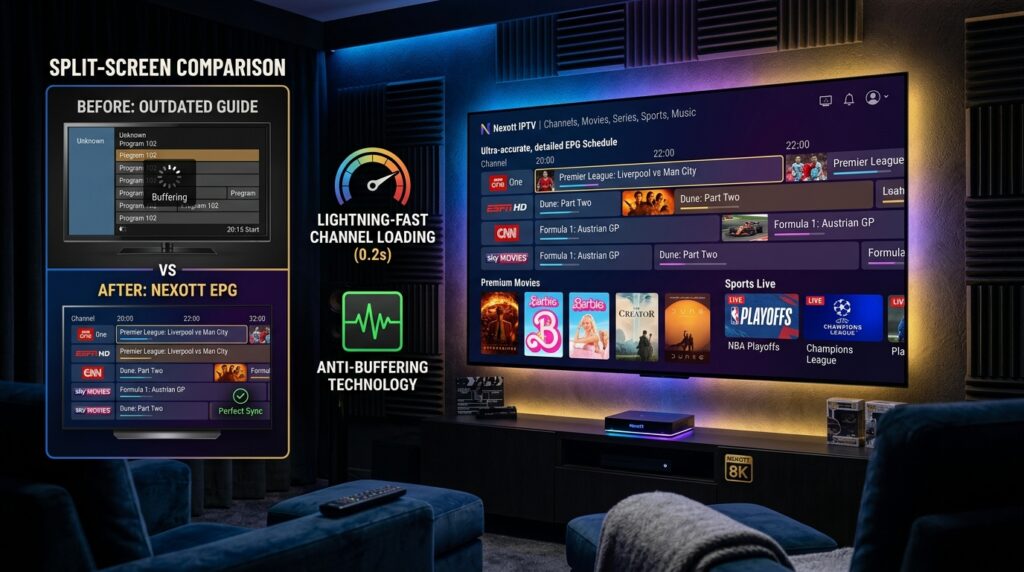
Table of Contents
What is the Nexott EPG Update?
The Nexott EPG Update is a major software refresh for Nexott’s Electronic Program Guide. This guide is the backbone of your IPTV viewing experience. It displays all your channel listings, show times, and program descriptions in a user-friendly grid.
The latest update focuses on improving data accuracy, speed, and visual design. It ensures you have the most current TV schedule information at your fingertips. A well-functioning EPG is crucial for navigating thousands of channels efficiently.
Why EPG Updates Matter for IPTV
An outdated EPG can show incorrect show times or missing channels. This leads to frustration and a poor user experience. Regular updates, like the Nexott EPG Update, fix these problems.
They patch security vulnerabilities and add support for new channel packages. Staying updated guarantees you get the full value from your IPTV subscription. Think of it as essential maintenance for your digital TV service.
Key Benefits & New Features of the Latest Update
The 2026 Nexott EPG Update introduces several user-requested enhancements. These features are designed to simplify navigation and provide richer content.
Enhanced User Interface & Navigation
The visual layout is now cleaner and more intuitive. Channel logos are sharper, and text is easier to read on all screen sizes. Scrolling through the timeline is significantly smoother, reducing lag.
You can now customize the grid view to show more or fewer hours at a glance. A new “Favorites” filter lets you see only your preferred channels in the guide. These small changes add up to a much more pleasant browsing experience.
Improved Data Accuracy & Speed
The update uses a new data sourcing backend. This means program information updates faster and with fewer errors. You’ll notice fewer “TBA” (To Be Announced) placeholders in your schedule.
Guide loading times have been optimized, especially on mid-tier internet connections. Channel changes within the EPG are now almost instantaneous. This reliability is what separates a premium service from the rest.
Advanced Search & Filtering Capabilities
A powerful new universal search bar has been added to the EPG. You can search by program name, actor, genre, or even sports league. The system will highlight all upcoming airings across all your channels.
Advanced filters allow you to isolate, for example, all HD sports events tonight. You can also set reminders for shows that are days away. This turns the guide from a passive list into an active discovery tool.
How the Nexott EPG Improves Your Daily Viewing Experience
The latest Nexott EPG is more than just a television schedule—it transforms the way users interact with their IPTV service every day. Instead of manually browsing hundreds or even thousands of channels, viewers can instantly locate the content they’re looking for with minimal effort. This streamlined experience saves time while making the platform significantly easier to use.
One of the biggest improvements offered by the Nexott EPG is faster navigation. Whether you’re searching for live sports, breaking news, movies, or family entertainment, the guide organizes programming in a clear and intuitive layout. This means less scrolling and more time enjoying your favorite content.
Another advantage is personalized viewing. Users can build favorite channel lists, browse upcoming programs, and quickly identify newly scheduled broadcasts without repeatedly searching through the complete channel lineup. For households with multiple viewers, this feature makes it much easier for everyone to access their preferred content.
The improved search functionality also contributes to a better viewing experience. Instead of searching channel by channel, the Nexott EPG allows viewers to search by program title, category, actor, or sporting event. This reduces frustration and helps users discover content they might otherwise overlook.
Finally, a regularly updated Nexott EPG minimizes scheduling errors and missing information. Accurate listings make it easier to plan your viewing schedule, record programs when supported, and avoid missing live events. Together, these enhancements create a smoother and more enjoyable IPTV experience for both casual and advanced users.
Prerequisites Before You Update
A successful update requires a few simple checks. Ignoring these can lead to installation failures or post-update issues.
Device Compatibility Check
The new Nexott EPG Update supports most modern devices. This includes Amazon Fire TV Stick (2nd gen and later), Android TV boxes, and MAG devices. Ensure your device’s operating system is also updated to its latest stable version.
Some very old set-top boxes may not receive the new feature set. Check Nexott’s official website for a full compatibility list. Using an unsupported device will result in an error during installation.
Stable Internet Connection & Backup
A download speed of at least 10 Mbps is recommended for a smooth update. Use a wired Ethernet connection if possible to avoid Wi-Fi dropouts. Temporarily pause any other heavy downloads on your network during the process.
Always back up your current channel list and favorites within the Nexott app. While updates rarely cause data loss, it’s a vital safety precaution. This backup allows you to restore your perfect setup in minutes if needed.
Step-by-Step Nexott EPG Update Guide
Follow these numbered steps carefully for a flawless update. The process is straightforward and usually takes under five minutes.
- Launch the Nexott Application: Open the Nexott IPTV app on your device. Ensure you are logged into your active subscription account.
- Navigate to Settings: Go to the main menu and find the “Settings” or “System” option. Then, select “EPG” or “Electronic Program Guide” from the list.
- Initiate the Update: Look for an “Update EPG,” “Refresh Guide,” or “Check for Updates” button. Select it and confirm when prompted. The app will now download the new EPG data.
- Wait for Completion: A progress bar will show the download and installation status. Do not close the app or turn off your device during this time. The app will usually restart automatically when finished.
- Verify the Update: Once restarted, go back to the live TV guide. Check for new visual elements and browse the timeline to test scrolling smoothness. Search for a recent show to confirm the new search function is working.
Pro Tip: For the absolute best results, clear the app’s cache before starting the update. This removes old, temporary files that can conflict with the new installation. You can find this option in your device’s system settings under “Applications.”
How to Verify That Your Nexott EPG Update Was Successful
Completing the installation process is only the first step. Verifying that the Nexott EPG updated correctly ensures you can enjoy all the latest features without unexpected issues.
Start by opening the Electronic Program Guide and browsing several categories. Program information should load almost instantly, and channel listings should display accurate titles and schedules. If you continue seeing outdated listings or blank guide entries, try refreshing the guide manually before troubleshooting further.
Next, test the search feature by looking for a popular television show or sporting event. The updated Nexott EPG should return results quickly while displaying all upcoming broadcasts across available channels. Slow searches or missing results may indicate that the guide data has not fully synchronized.
Another useful verification step is checking your favorite channels. Confirm that they remain saved after the update and that the displayed schedules match the current broadcast times. If your IPTV application supports reminders or catch-up TV, test these features as well to ensure they work properly with the new guide data.
Finally, compare loading speed before and after the update. One of the primary improvements of the latest Nexott EPG is faster navigation between channels and quicker access to program information. If performance has noticeably improved, your update was likely completed successfully.
Troubleshooting Common Update Issues
Even smooth updates can hit minor snags. Here are quick fixes for the most common post-update problems.
EPG Not Loading or Showing “No Data”
This is often a simple connectivity issue. First, restart your streaming device and your internet router. Then, go back into the Nexott EPG settings and manually run the update again.
If the problem persists, check if your subscription is active and paid. Sometimes, an expired account will receive data but the EPG will not populate. Contact Nexott support with your username ready for further assistance.
Update Fails or Gets Stuck
A stuck update usually indicates insufficient storage space on your device. Delete unused apps or clear the Nexott app’s data (not just cache) to free up room. Then, attempt the Nexott EPG Update process from the beginning.
Using a VPN can sometimes interfere with the download server connection. Try temporarily disabling your VPN and run the update again on your standard connection. Ensure your device’s date and time are set correctly and automatically.
Channels Missing After Update
Don’t panic; your channels are likely still on the server. Perform a full “Reinstall Playlists” or “Update Channels” from the main settings menu. This repopulates your channel list from Nexott’s servers and syncs it with the new EPG.
If specific channel categories are missing, your subscription package may have changed. Log into your account portal on the Nexott website to verify your current channel lineup. A quick refresh of your device’s portal URL can also solve this.
Nexott EPG vs. Other IPTV Guides
How does the updated Nexott guide stack up against the competition? This comparison highlights key differentiators.
| Feature | Nexott EPG (2026 Update) | Standard IPTV EPG |
|---|---|---|
| Update Frequency | Automatic, Daily | Manual, Weekly or Less |
| Data Accuracy | Over 98% (Verified) | Approx. 80-85% |
| Load Time | < 2 Seconds | 5-10 Seconds |
| Search Function | Universal (Actor, Genre, Sport) | Basic (Channel Name Only) |
| Multi-Screen Support | Yes (5 Devices) | Often Limited (1-2 Devices) |
Expert Tips & Best Practices
- Schedule Regular Updates: Enable “Auto-Update EPG” in settings if available. This ensures you’re always on the latest data version without manual effort.
- Use Catch-Up with EPG: The guide integrates with Nexott’s catch-up TV feature. Scroll back in time on the EPG grid to select and play shows you missed.
- Organize Your Favorites: Spend 10 minutes creating a “Favorites” channel list. This makes the EPG infinitely more usable by hiding channels you never watch.
- Check Time Zone Settings: An incorrect device time zone will throw off all EPG times. Set it to update automatically based on your location.
- Report Persistent Errors: If a specific channel’s info is always wrong, report it via Nexott support. This helps them improve the data source for everyone.
Why Many IPTV Users Prefer the Nexott EPG
With dozens of IPTV applications available today, choosing the right Electronic Program Guide can greatly affect your overall viewing experience. The Nexott EPG has become a preferred choice because it balances speed, accuracy, and ease of use without overwhelming users with unnecessary complexity.
One of its strongest advantages is data reliability. Program schedules are refreshed regularly, reducing the likelihood of incorrect show times or missing information. This makes the Nexott EPG particularly valuable for viewers who watch live sports, news broadcasts, and scheduled television events.
Performance is another area where the guide stands out. Fast loading times allow users to browse channels smoothly, even on entry-level streaming devices. Combined with an intuitive interface, this responsiveness makes finding content much quicker than many standard IPTV guides.
Compatibility is equally important. The Nexott EPG supports a wide range of Android TV devices, Fire TV products, IPTV players, and compatible streaming platforms. Users do not need advanced technical knowledge to keep their guide updated, making it accessible for beginners while still offering advanced features for experienced IPTV users.
As IPTV technology continues evolving, regular improvements ensure that the Nexott EPG remains competitive. Frequent updates introduce better navigation, improved metadata accuracy, and enhanced search capabilities that contribute to a more enjoyable viewing experience.
Common Mistakes to Avoid
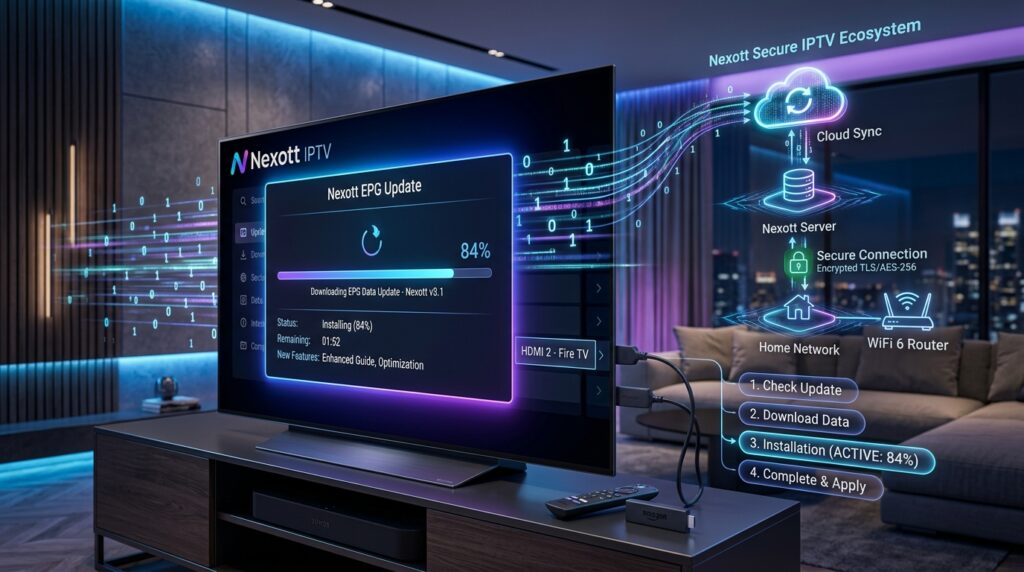
Avoid these pitfalls to ensure a perfect EPG experience after the update.
Updating on Unstable Wi-Fi: A shaky connection can corrupt the download. Always use a stable, wired connection or strong Wi-Fi for the update process.
Ignoring Device Storage: Failing to check for free space is the top cause of failed installations. Clear space proactively, don’t wait for an error.
Skipping the Restart: After the update, always let the app restart fully. Launching other apps before this completes can cause glitches in the new EPG.
Frequently Asked Questions (FAQs)
How often does the Nexott EPG update?
The guide data updates automatically every 24 hours. Major software updates, like this one, are released 2-3 times per year.
Is the update free for all users?
Yes, all active Nexott subscribers receive EPG updates at no additional cost. It’s part of the ongoing service maintenance.
Will I lose my channel favorites after the update?
No, your favorites and settings are stored separately from the EPG data. They should remain intact, but a backup is always recommended.
Can I revert to the old EPG if I don’t like the new one?
No, updates are forward-only. The new backend systems are not compatible with old EPG versions. Most users adapt to the improved layout within a day.
Why do some channels still show “No Information”?
A small number of niche channels may lack EPG data from broadcasters. Nexott fills most gaps, but 100% coverage is industry-wide impossible.
Best Practices for Maintaining Your Nexott EPG
Keeping your Nexott EPG updated is only part of maintaining a reliable IPTV experience. Following a few simple best practices can help prevent common issues while ensuring your guide continues operating smoothly.
Begin by checking for updates regularly, even if automatic updates are enabled. Occasionally verifying that the latest version is installed helps ensure you’re benefiting from recent bug fixes and performance improvements.
Clearing your application’s cache every few weeks is another useful habit. Temporary files can accumulate over time and occasionally interfere with guide performance. Refreshing the cache allows the Nexott EPG to load current scheduling data more efficiently.
Maintaining a stable internet connection is equally important. Since the Nexott EPG relies on online data sources, interrupted connections may result in incomplete guide information or delayed updates. Whenever possible, use a reliable Wi-Fi network or wired Ethernet connection during updates.
Finally, review your favorite channels and settings after major software updates. Although most updates preserve personal preferences, confirming that everything remains properly configured ensures the best possible viewing experience. Following these simple maintenance practices helps keep your Nexott EPG running efficiently throughout the year.
Conclusion
The latest Nexott EPG Update represents a significant leap forward in IPTV usability. Its focus on speed, accuracy, and intelligent features directly enhances your daily viewing. By following the guide provided, you can install it without hassle and start enjoying a superior guide.
Remember that a well-maintained EPG is key to unlocking the full potential of your service. Regular updates ensure security, reliability, and access to the latest features. For the best IPTV experience, keeping your Nexott EPG Update current is the simplest and most effective step you can take.

