Table of Contents
Introduction
The way we consume television has fundamentally changed. Gone are the days of clunky cable boxes and rigid contracts. In 2025, the revolution is digital, and the gold standard for entertainment is Legal 4K IPTV. As millions of households cut the cord, the demand for crystal-clear, Ultra High Definition (UHD) content delivered over the internet has skyrocketed.
However, this boom has created a confusing marketplace. Search for “IPTV” and you are bombarded with offers for “10,000 channels for $10″—offers that are almost always illegal, unreliable, and risky. For the discerning viewer who values quality, stability, and peace of mind, Legal 4K IPTV is the only viable path.
This comprehensive guide serves as your roadmap to the safe side of streaming. We will dismantle the technical jargon, compare the top-rated US providers like YouTube TV and Fubo, and show you exactly how to optimize your home network for a buffer-free 4K experience. Whether you are a sports fanatic needing to see every blade of grass or a movie buff demanding cinema-quality visuals, Legal 4K IPTV is the upgrade your living room deserves.
What is Legal 4K IPTV and How Does it Work?
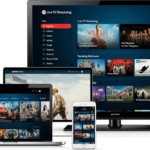
Legal 4K IPTV refers to internet-based television services that are fully licensed to broadcast live TV and on-demand video in Ultra High Definition (UHD). Unlike traditional cable or satellite, which use physical infrastructure, IPTV uses your existing internet connection to stream content directly to your device.
The Technology Behind Legal 4K IPTV
Understanding the “IP” in IPTV is key. It stands for Internet Protocol. Instead of receiving a signal from a satellite dish or a coaxial cable, your TV (or streaming device) sends a request to the provider’s server. The server then sends the video data back to you in “packets” over the internet.
For Legal 4K IPTV, this process requires robust technology known as Adaptive Bitrate Streaming (ABS).
- Packet Delivery: Video is chopped into small files (packets).
- Real-Time Assembly: Your device reassembles these packets instantly.
- Resolution Scaling: If your internet speed drops, ABS temporarily lowers the quality to 1080p or 720p to prevent buffering, then bumps it back up to 4K once the connection stabilizes.
Why 4K Resolution Matters for IPTV
The jump from HD to 4K is not just marketing hype; it is a mathematical leap in clarity.
- 1080p HD: 1920 x 1080 pixels (approx. 2 million pixels).
- 4K UHD: 3840 x 2160 pixels (approx. 8.3 million pixels).
With Legal 4K IPTV, you are seeing four times the detail of standard HD. In sports, this means you can read the jersey numbers from the wide-angle shots. In movies, it means deeper blacks and more vibrant colors, especially when paired with HDR (High Dynamic Range) technology supported by top legal providers.
Legal 4K IPTV vs. Illegal IPTV: Knowing the Difference
The most critical decision you will make is choosing between a verified Legal 4K IPTV service and an unverified “grey market” subscription. The differences go far beyond price.
Signs of a Legitimate Legal 4K IPTV Service
A legal service operates transparently. Look for these indicators:
- Official App Store Presence: The app is available directly on the Apple App Store, Google Play Store, Roku Channel Store, and Amazon Appstore.
- Major Network Partnerships: They openly advertise partnerships with networks like ABC, ESPN, NBC, and Fox.
- Transparent Pricing: Prices align with market standards (usually $40–$80/month), not suspiciously low rates like “$15 for lifetime access.”
- Copyright Compliance: They pay licensing fees to content creators, ensuring the stream won’t be shut down mid-game.
Dangers of Using Illegal IPTV Services
Unverified services often market themselves as “Private IPTV” or “Wholesale IPTV.” While the price tag is tempting, the risks are severe.
| Feature | Legal 4K IPTV | Illegal/Unverified IPTV |
| Reliability | 99.9% Uptime | Frequent buffering & takedowns |
| Resolution | True 4K UHD | Upscaled 720p (Fake 4K) |
| Security | Encrypted & Safe | Risk of Malware & Data Theft |
| Legality | 100% Legal | Illegal (Copyright Infringement) |
| Support | 24/7 Customer Service | Non-existent or Discord-only |
Warning: In the US and UK, copyright holders and ISPs are increasingly cracking down on illegal streams. Using these services can lead to your ISP throttling your internet speed, fining you, or permanently banning your account.
Top Benefits of Switching to Legal 4K IPTV
Why are millions of Americans migrating to Legal 4K IPTV?
1. Superior Picture Quality and Stability
Illegal streams are highly compressed to save bandwidth, often resulting in “blocky” artifacts during fast-motion scenes. Legal 4K IPTV providers use high-bandwidth servers that deliver high-bitrate streams, maintaining the integrity of the picture even during the Super Bowl or World Cup.
2. Multi-Device Compatibility
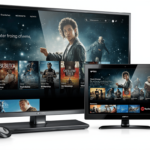
Your subscription travels with you. Whether you are on a bus with your smartphone, in a hotel with a tablet, or at home on a 65-inch TV, your content is accessible. Most legal providers offer “TV Everywhere” support, allowing you to log in to network apps (like the ESPN app) using your IPTV credentials.
3. Cloud DVR and On-Demand Libraries
Forget bulky hardware. Legal 4K IPTV services come with Cloud DVR. You can record unlimited episodes of your favorite shows and access them from any device. Additionally, they offer massive VOD (Video On Demand) libraries with thousands of movies and past TV seasons included in the price.
4. No Contracts or Hidden Fees
Traditional cable locks you into 2-year contracts with hefty cancellation fees. Legal 4K IPTV operates on a month-to-month basis. You can subscribe for the NFL season and cancel in February with no penalty.
Best Legal 4K IPTV Providers for 2025 (In-Depth Reviews)
Based on current 2025/2026 market data, these are the top verified providers offering legitimate 4K content in the United States.
1. YouTube TV (Best Overall for Legal 4K IPTV)
YouTube TV remains the market leader for a reason. Its interface is arguably the best in the industry, and its 4K add-on is robust.
- The 4K Plus Add-On: For an additional monthly fee (approx. $9.99/mo), you unlock 4K streaming for live sports and on-demand content.
- Content: Offers major events in 4K from NBC, ESPN, and Fox. This includes the Olympics, World Cup, and select NFL/MLB games.
- Key Feature: The “Key Plays” feature allows you to catch up on sports highlights in real-time before jumping to live action.
- DVR: Unlimited Cloud DVR space. Recordings are kept for 9 months.
2. Fubo (Best for 4K Sports)
If you are a sports fan, Fubo is your sanctuary. It offers the highest volume of 4K sporting events among all Legal 4K IPTV providers.
- 4K Availability: Fubo includes 4K content in its “Elite” and “Premier” plans without a separate add-on fee in many cases.
- Exclusive Content: Known for extensive coverage of international soccer (Premier League, UEFA), much of which is broadcast in UHD.
- Multiview: Watch up to four streams at once—perfect for busy sports weekends.
- Pros: Incredible sports coverage; supports wide range of devices.
- Cons: Slightly more expensive than competitors; lacks Turner networks (TNT/TBS) in some base packages.
3. Hulu + Live TV (Best Bundle Option)
Hulu + Live TV is a powerhouse because it bundles live TV with Disney+ and ESPN+.
- 4K Strategy: While their live 4K channel lineup is smaller than Fubo’s, they offer a massive library of 4K on-demand content via Hulu Originals and Disney+.
- Integration: Seamlessly switch between live news and watching The Mandalorian in 4K Dolby Vision.
- Unlimited DVR: Now standard for all subscribers.
- Best For: Families who want entertainment, movies, and sports in one single bill.
4. Sling TV (Best Budget Friendly Legal IPTV)
Sling TV is the most customizable option, allowing you to pay only for what you watch.
- 4K Access: Sling offers 4K content primarily through FS1 and Fox Sports broadcasts. You need a compatible device (like Roku Ultra or Fire TV Stick 4K).
- Sling Blue vs. Orange: You can mix and match packages. “Blue” is better for news/entertainment, while “Orange” is essential for ESPN.
- Cost: Significantly cheaper than YouTube TV or Fubo, making it the best entry point for Legal 4K IPTV.
5. DirecTV Stream (Most Like Traditional Cable)
For those transitioning from cable who want a familiar grid guide and channel numbers.
- Quality: excellent picture quality with high bitrates.
- Channel 104-106: Dedicated 4K channels that broadcast live events (NBA, MLB, English Premier League).
- Device: You can use their proprietary “Gemini” box which has a remote with number buttons, providing a very traditional feel.
Comparison Table: Top Legal 4K IPTV Services
| Provider | Base Price (Est.) | 4K Support | Top Channels | DVR Storage | Simultaneous Streams |
| YouTube TV | $72.99/mo | Add-on ($9.99) | ESPN, NBC, ABC, FOX | Unlimited | 3 (Unlimited at home with 4K add-on) |
| Fubo | $79.99/mo | Included in Elite | beIN, TUDN, NFL Net | 1000 Hours | 10 at home |
| Hulu + Live | $76.99/mo | Limited Live / High VOD | Disney+, ESPN+, FX | Unlimited | 2 (Unlimited upgrade avail) |
| Sling TV | $40.00/mo | Select Events | TNT, TBS, CNN | 50 Hours | 1 (Orange) / 3 (Blue) |
| DirecTV | $79.99/mo | Included | HBO, RSNs | Unlimited | Unlimited at home |
Essential Hardware for Streaming Legal 4K IPTV
Having a premium subscription is useless if your hardware cannot handle the data. To experience Legal 4K IPTV in its full glory, you need the right chain of equipment.
Best Streaming Devices for 4K IPTV
Do not rely on the built-in “Smart TV” apps if they feel sluggish. A dedicated streaming stick or box is often superior.
- Nvidia Shield TV Pro: The holy grail of streaming. It features AI Upscaling which can take a 1080p HD stream from your IPTV provider and sharpen it to near-4K quality using artificial intelligence.
- Apple TV 4K (3rd Gen): Unmatched processing speed. Apps load instantly, and scrubbing through timelines is buttery smooth. It supports high frame rate HDR, crucial for 4K sports.
- Amazon Fire TV Stick 4K Max: The best budget option. It supports Wi-Fi 6E, ensuring a strong connection to your router, and handles 4K HDR10+ with ease.
- Roku Ultra: A solid, user-friendly choice with a remote finder and excellent 4K performance.
Choosing the Right 4K TV
- HDR Support: Ensure your TV supports HDR10 or Dolby Vision. 4K gives you more pixels; HDR gives you better pixels (better contrast and color).
- Refresh Rate: For Legal 4K IPTV sports viewing, a native 120Hz panel is recommended to reduce motion blur during fast-paced action.
Audio Gear for Immersive Experience
4K is for your eyes; audio is for your ears. Many legal IPTV services broadcast in Dolby Digital 5.1.
- Soundbars: A simple 3.1 channel soundbar with a dedicated center channel will make dialogue much clearer than TV speakers.
- AV Receivers: For the full theater experience, an AV receiver setup allows for true surround sound.
Internet Speed Requirements for Legal 4K IPTV
Buffering is the enemy of enjoyment. Because 4K streams carry 4x the data of HD streams, your internet connection must be robust.
Minimum Bandwidth Recommendations
According to technical standards in 2025:
- 25 Mbps: The absolute minimum download speed required for a single stable 4K stream.
- 50 Mbps: Recommended speed for one person to stream 4K while browsing on a phone.
- 100 Mbps+: Highly recommended for families. If two people want to watch different Legal 4K IPTV streams simultaneously, you need the overhead.
Wi-Fi vs. Ethernet: Which is Better?
For Legal 4K IPTV, Ethernet is King.
Wi-Fi is susceptible to interference from microwaves, thick walls, and neighbors’ routers. An Ethernet cable connected directly from your router to your streaming device guarantees a consistent speed and eliminates the “micro-drops” that cause buffering.
If Ethernet isn’t possible, use a Mesh Wi-Fi System (like Eero or Google Nest Wifi) to ensure a strong 5GHz signal reaches your TV.
How to Test Your Connection Speed
Don’t just trust the “up to” speed your ISP advertises.
- Download the Ookla Speedtest app on your streaming device (Apple TV, Firestick, etc.).
- Run the test on the device itself, not your phone.
- Look for “Jitter” and “Packet Loss.” Jitter should be under 30ms, and packet loss should be 0% for smooth IPTV streaming.
How to Set Up Legal 4K IPTV: A Step-by-Step Guide
Setting up Legal 4K IPTV is easier than installing a cable box.
Step 1: Choosing Your Provider
Visit the official website of the provider (e.g., https://www.google.com/search?q=tv.youtube.com or fubo.tv). Create an account. Most offer a free trial (usually 5–7 days). Tip: Use a fresh email address if you have used a trial before.
Step 2: Installing the App on Your Device
Navigate to the app store on your TV or streaming stick.
- Search: Type the name of your provider.
- Download: Ensure it is the official app (look for the verified developer name).
- Login: Use your smartphone to scan the QR code displayed on the TV for a fast login.
Step 3: Optimizing Settings for 4K
This is the step most people miss.
- YouTube TV: Click the gear icon on the video player > Select “Quality” > Ensure “2160p (4K)” is selected. You may need to enable the “4K Plus” filter in your live guide to find specific 4K channels.
- Fubo: Look for channels marked with a “4K” badge in the guide. Go to Settings > Video Quality > Set to “Best” or “4K”.
- Apple TV/Firestick Settings: Go to your device’s main settings > Display & Sound > Resolution. Ensure it is set to “Auto (up to 4K Ultra HD)”. Turn on “Match Dynamic Range” for the best color accuracy.
Step 4: Setting Up Parental Controls and Profiles
Create separate profiles for family members. This ensures your sports recommendations don’t get mixed with your kids’ cartoons. Set PIN protection for purchasing add-ons to avoid surprise bills.
Troubleshooting Common Legal 4K IPTV Issues
Even with the best Legal 4K IPTV service, hiccups can happen. Here is how to fix them.
Why is My 4K Stream Buffering?
- Check Network: Is someone else downloading a large game file?
- Router Position: Is the router hidden in a closet? Move it to an open space.
- ISP Throttling: Some Internet Service Providers slow down video traffic. Using a legal VPN (Virtual Private Network) can sometimes bypass this throttle by hiding the type of traffic from your ISP.
Fixing Audio Sync Issues
If the lips are moving but the sound is delayed:
- Restart the App: Force close and reopen.
- Frame Rate Matching: Go to device settings and enable “Match Frame Rate.” This syncs the TV’s refresh rate to the content (e.g., 24fps for movies, 60fps for sports).
“Blackout” Restrictions Explained
Sometimes you tune into a game on a Legal 4K IPTV service and see a “Blackout” message. This is not a technical error. It means a local broadcaster in your area has exclusive rights to the game. You may need to switch to a local channel (like a regional sports network) to watch it.
Frequently Asked Questions
Q: Is IPTV legal in the USA?
A: Yes, Legal 4K IPTV is 100% legal when provided by authorized services like YouTube TV, Hulu, Sling, and Fubo. These companies pay for the rights to broadcast content.
Q: Can I get Legal 4K IPTV for free?
A: No. Legitimate 4K content costs money to produce and license. Any service offering premium 4K channels for free is likely illegal and unsafe. However, you can use “FAST” (Free Ad-Supported Streaming TV) apps like Pluto TV or Tubi, but they rarely offer 4K live content.
Q: Which Legal 4K IPTV service has the most channels?
A: DirecTV Stream and Fubo generally offer the highest raw channel counts, especially when you include their add-on packages for sports and international content.
Q: Does Netflix count as Legal 4K IPTV?
A: Netflix is a VOD (Video On Demand) service, not strictly IPTV (which implies live broadcast TV). However, it is a legal streaming service that offers extensive 4K content.
Q: How much data does Legal 4K IPTV use?
A: 4K streaming consumes a lot of data—approximately 7 GB to 10 GB per hour. If you have a data cap on your home internet (e.g., 1TB limit), monitor your usage closely.
Conclusion
The landscape of television has evolved, and Legal 4K IPTV stands at the summit of this evolution. It offers the flexibility modern viewers demand, combined with the visual fidelity that modern TVs are built to display.
By choosing a legitimate provider like YouTube TV, Fubo, or Hulu + Live TV, you are investing in a premium experience. You get reliability, security, and the peace of mind that comes with using a legal service. No more broken links, no more fuzzy streams, and no more legal risks.