Nexott Xtream Code Guide 2026: Easy Setup & Fixes
Table of Contents
Nexott Xtream Code: The Complete IPTV Management Solution
Streaming entertainment has evolved significantly, and the Nexott Xtream Code stands at the forefront of this digital revolution in 2026. This sophisticated API-based system has replaced cumbersome file-sharing methods to provide a seamless, high-definition viewing experience. By utilizing a central server-side architecture, it allows users to access thousands of live channels and VOD content with unparalleled ease.
Modern viewers demand stability and high-fidelity visuals, which is exactly where Nexott Xtream Code excels. Unlike older technologies that struggle with high bandwidth, this system is built to handle 4K and 8K streams efficiently. It acts as a bridge between your IPTV provider’s massive database and your favorite streaming device, ensuring data is delivered instantly and securely.
Whether you are a casual viewer or a dedicated cord-cutter, understanding the Nexott Xtream Code is essential for a premium setup. It simplifies the login process by requiring only three pieces of information: a URL, a username, and a password. This guide will explore every facet of this technology, helping you maximize your home entertainment potential.
What is Nexott Xtream Code?
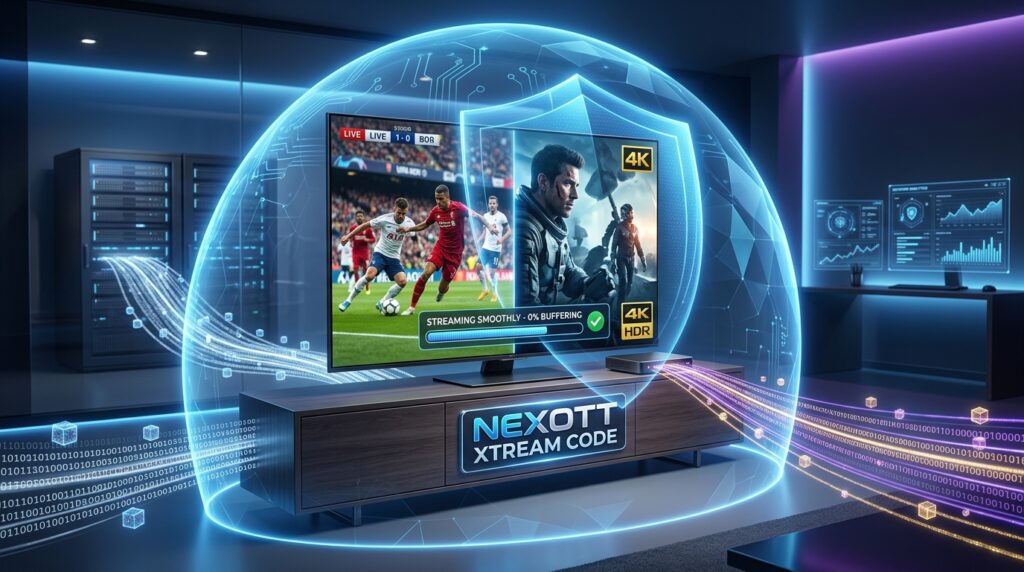
The Nexott Xtream Code is essentially a Content Management System (CMS) that uses an Application Programming Interface (API) to deliver media. In simpler terms, it is the “brain” that organizes channel lists, movie posters, and program guides so your TV can display them. In 2026, this protocol has become the industry standard for those seeking a more organized interface than traditional playlists.
Technically, the Nexott Xtream Code works by creating a direct link between your device and the provider’s server. When you open your IPTV app, the API “calls” the server to fetch the latest channel updates and EPG data. This means you never have to manually update your list; the system does it automatically every time you log in.
The architecture of Nexott Xtream Code is built specifically for high-concurrency environments, allowing it to remain stable and responsive even during massive global events such as the World Cup, when millions of users may be streaming simultaneously. Instead of relying on static playlist files, Nexott uses a dynamic, server-driven framework that efficiently manages large volumes of requests without overwhelming individual devices.
One of its key advantages is server-side user authentication. Login validation, session management, and access control are handled on the provider’s servers rather than on your local device. This significantly reduces processing demands on your TV, streaming box, or mobile device, which is especially beneficial for lower-power hardware like Smart TVs or older Android boxes.
As a result, users experience faster channel switching, quicker menu navigation, and a noticeably more responsive user interface. Channel lists load cleanly, EPG data stays in sync, and the overall experience feels smoother and more modern. Compared to traditional M3U files—which rely on static links and place more strain on local hardware—the Nexott Xtream Code offers superior performance, scalability, and reliability for everyday viewing and peak-traffic events alike.
Why Choose Nexott Xtream Code Over Traditional M3U Links?
When comparing Nexott Xtream Code to M3U links, the most significant advantage is the level of data organization. An M3U file is a simple text list that often lacks detailed metadata, making it hard to find specific shows. The Nexott Xtream Code API, however, categorizes content into Live TV, Movies, and Series with rich posters and descriptions.
Security is another major factor that favors the Nexott Xtream Code ecosystem in 2026. Traditional M3U URLs often contain your username and password in plain text within the link itself, which is a security risk if intercepted. The Nexott API uses encrypted authentication, keeping your personal subscription details hidden from prying eyes on the network.
Finally, the Nexott Xtream Code delivers a far more reliable and feature-rich Electronic Program Guide (EPG) compared to traditional M3U playlists. With M3U files, the channel list and EPG data are often pulled from separate sources, which frequently leads to “No Information” errors, missing schedules, or mismatched channel data in the TV guide.
In contrast, the Nexott protocol integrates the EPG directly into the API itself. This tight integration ensures that channel metadata, program schedules, and timing information stay properly synchronized. As a result, guide data loads more consistently, updates automatically, and accurately reflects what is currently airing and what’s coming up next.
Because the EPG is built into the Nexott Xtream Code system, users benefit from a smoother browsing experience, complete schedules across more channels, and fewer manual fixes or refreshes. You can quickly check upcoming programs, plan your viewing in advance, and switch channels with confidence—always knowing exactly what’s playing and what’s on deck.
Comparison Table: Nexott Xtream Code vs. M3U
| Feature | Nexott Xtream Code | M3U Playlists |
| Setup Ease | High (User/Pass) | Medium (Long URL) |
| Data Security | Encrypted API | Plain Text URL |
| VOD Features | Full Metadata & Posters | Basic Text List |
| Auto-Updates | Real-time | Manual Refresh Required |
| EPG Integration | Native & Seamless | Often Requires 2nd Link |
Key Features of Nexott Xtream Code in 2026
The 2026 version of Nexott Xtream Code includes advanced “Anti-Freeze” technology to combat buffering. This feature uses predictive algorithms to pre-load small segments of the stream before you even click the channel. This results in a “zapping” experience that feels as fast as traditional cable television, even on fiber-optic connections.
Another standout feature of the Nexott Xtream Code is its multi-language and multi-audio track support. Users can easily toggle between different commentary languages for live sports or select subtitles for international cinema. This flexibility is managed directly through the API, ensuring compatibility across various player applications like TiviMate or Smarters.
According to latest industry reviews, the move toward API-based streaming has improved user retention by over 40%. The Nexott Xtream Code specifically supports “Catch-up” TV, allowing you to watch programs that aired days ago. This DVR-like functionality is stored on the provider’s server, saving you from needing expensive local storage devices.
How to Set Up Nexott Xtream Code: A Step-by-Step Guide
Step 1: Acquiring Your Nexott Xtream Code Credentials
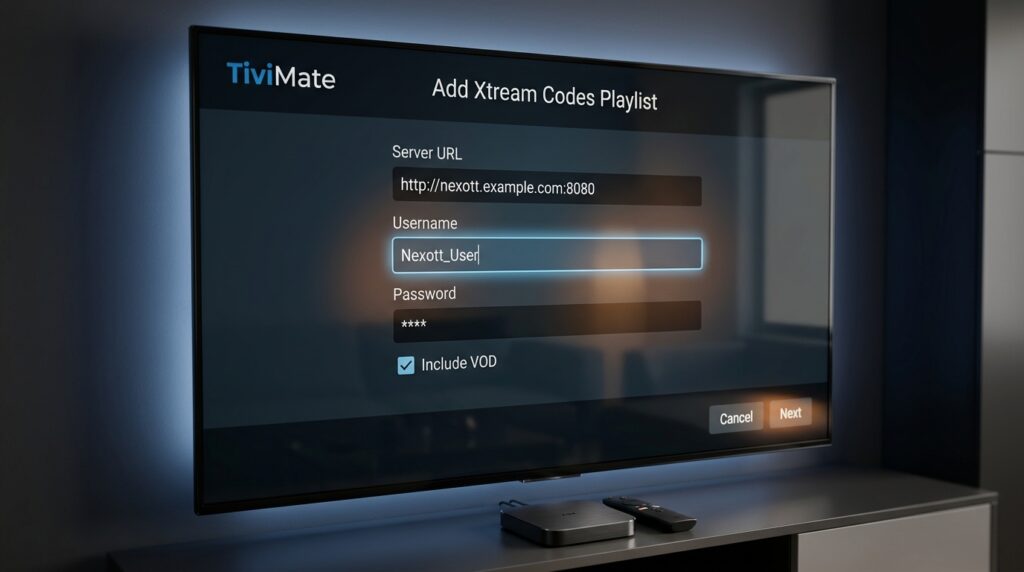
To get started, you’ll first need a valid subscription from a service provider that supports the Nexott protocol. After signing up, the provider will supply you with your essential login credentials, which typically include a Server URL (often ending with a port number such as :8080), a unique username, and a password.
These details function as your personal Nexott Xtream Code access keys, allowing the app to authenticate your account and load your channels, movies, and series. It’s important to keep this information private and secure, as anyone with access to these credentials can use your subscription. Avoid sharing them publicly, and store them safely to ensure uninterrupted and secure streaming.
Step 2: Choosing the Right Media Player
In 2026, some of the best and most reliable apps for using the Nexott Xtream Code include TiviMate Pro, IPTV Smarters, and the native Nexott Player. These applications are well-optimized for Xtream Codes–based APIs and offer smooth playback, fast channel switching, and advanced features such as EPG support, favorites, multi-screen viewing, and VOD organization.
To ensure security and stability, it’s strongly recommended to download your chosen app only from official sources such as the Google Play Store or the Amazon Appstore. Official app stores provide verified versions of the software and deliver regular updates that include important security patches, performance improvements, and compatibility fixes.
Most modern Smart TVs—including Android TV, Google TV, Fire TV, and select manufacturer platforms—support these applications for direct installation, eliminating the need for external streaming devices. Once installed, you can log in using your Nexott Xtream Code API credentials and instantly access your channels, movies, and series.
By pairing a trusted IPTV app with official app store downloads, you ensure a safer, more stable streaming experience while taking full advantage of the Nexott Xtream Code ecosystem in 2026.
Step 3: Entering the API Details
Open your IPTV application and select the option labeled “Login with Xtream Codes API.” In the login screen, carefully enter your Nexott Xtream Code credentials into the required fields. For Any Name, you can choose a custom label to easily identify the account. Then enter your Username and Password exactly as provided, followed by the complete Server URL, including the correct protocol (http or https) and port number if required.
Once all fields are filled in, tap “Add User” or “Login.” The application will automatically connect to the Nexott Xtream Code server and begin downloading your personalized content. This includes your full channel list, video-on-demand library, and electronic program guide (EPG) if available. Depending on your internet speed and the size of the library, this process may take a few moments. After synchronization is complete, you’ll be able to start streaming immediately.
Troubleshooting Common Nexott Xtream Code Issues
One of the most frequent errors with the Nexott Xtream Code is the “Invalid Credentials” message. This is almost always caused by a typo in the Server URL or an extra space at the end of the username. Double-check that your URL includes the “http://” prefix and the correct port number at the end.
If you experience constant buffering while using your Nexott Xtream Code, your Internet Service Provider (ISP) might be throttling your connection. Many users in 2026 utilize a VPN to bypass these restrictions and ensure a steady stream of data. You can also try changing the “Buffer Size” in your app settings to “Large” to help smooth out minor network fluctuations.
For those seeing a “Playlist Not Found” error, it may mean your Nexott Xtream Code subscription has expired or the server is undergoing maintenance. You can verify the server status by checking the provider’s official support page or community forums. If the server is live but you still can’t connect, try clearing the cache of your IPTV app.
Legal and Safety Considerations
Using the Nexott Xtream Code in the United States is legal from a software and technology standpoint. The Nexott Xtream Code itself, along with the Xtream Codes–style API protocol it relies on, is simply a tool designed to organize, authenticate, and deliver digital streaming content. Technologies like this are widely used across legitimate streaming platforms, IPTV management systems, and private media servers. On its own, the software does not host, create, or distribute copyrighted material.
However, the legality of your viewing experience ultimately depends on the content source, not the app or protocol. If your IPTV provider holds the proper broadcasting and distribution licenses for the channels and video-on-demand content they offer, then streaming that content is legal. If a provider lacks those rights, accessing copyrighted material through their service may violate U.S. copyright laws. For this reason, it’s important to choose reputable providers that are transparent about licensing and operate within legal boundaries.
From a technical safety perspective, Nexott Xtream Code is generally safer than downloading random M3U playlist files from unverified websites. M3U files can sometimes be modified to exploit vulnerabilities in older or unpatched devices, potentially leading to malicious downloads or unauthorized access. In contrast, the Nexott Xtream protocol operates through a controlled API environment, reducing exposure to hidden scripts or harmful redirects and lowering the overall risk of malware for end users.
To further protect your privacy, it’s wise to use a dedicated email address when registering for Nexott Xtream Code services. This limits spam and reduces exposure if a provider’s database is ever compromised. Additionally, always use a strong, unique password that is not shared with your banking, email, or social media accounts. These simple steps help ensure a safer, more secure streaming experience.
The Future of Nexott Streaming in 2026 and Beyond
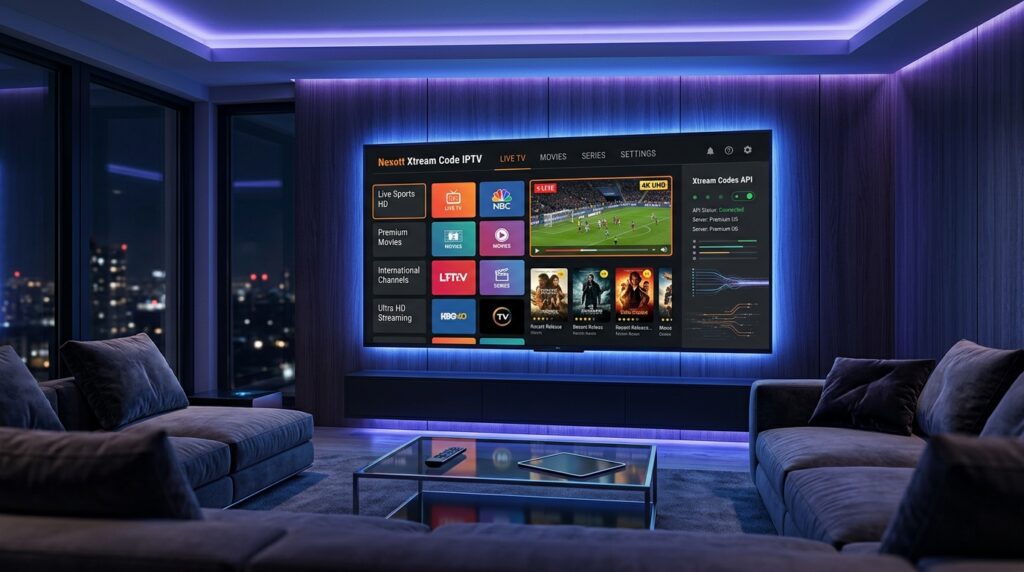
The future of the Nexott Xtream Code looks incredibly bright as AI integration begins to take hold. We are seeing the introduction of “Smart Playlists” that suggest content based on your previous viewing habits across the API. This level of personalization makes the Nexott Xtream Code feel more like a premium streaming giant than a traditional TV service.
We also expect to see the Nexott Xtream Code expand into the world of Virtual Reality (VR) sports. Imagine using your API credentials to log into a VR headset and sit “courtside” at an NBA game. The high-bandwidth capabilities of the Nexott protocol are perfect for delivering the 360-degree video required for these immersive experiences.
Finally, as financial news indicates, the global IPTV market is expected to surpass $500 billion by 2030. This growth will lead to even better infrastructure and more stable servers for Nexott Xtream Code users. The shift toward decentralized server clusters will likely make “downtime” a thing of the past for premium subscribers.
Frequently Asked Questions (FAQs)
Can I use Nexott Xtream Code on my iPhone?
Yes, you can use the Nexott Xtream Code on iOS devices by downloading compatible IPTV apps such as IPTV Smarters or GSE Smart IPTV from the App Store. Once installed, simply enter your Xtream Codes API credentials (username, password, and server URL) into the app. After logging in, your channel list, VOD content, and EPG will load automatically, allowing you to stream your favorite channels anytime, anywhere—provided you have a stable internet connection.
Why is my EPG not showing up in the Nexott Xtream Code?
If your program guide appears empty, open the app’s Settings menu and locate the “Refresh EPG” option. Selecting this will manually trigger the Nexott Xtream Code API to reconnect to the server and download the most up-to-date electronic program guide data. After refreshing, allow a few moments for the schedule to repopulate, as loading times may vary depending on your internet connection and the server’s response.
Does Nexott Xtream Code support 4K HDR?
Absolutely! The Nexott Xtream Code is fully compatible with modern high-definition formats, including 4K Ultra HD, HDR10, and Dolby Vision, ensuring a sharp, vibrant, and immersive viewing experience. When paired with a compatible display, these technologies deliver enhanced color accuracy, deeper contrast, and greater detail for supported content. Keep in mind that your actual playback quality will depend on factors such as your internet connection speed, network stability, and the streaming quality provided by your content provider. With a fast, reliable connection and high-quality streams, you can enjoy smooth, crystal-clear playback that takes full advantage of your home entertainment setup.
Conclusion: Maximizing Your Streaming with Nexott Xtream Code
In conclusion, the Nexott Xtream Code has redefined what it means to be a modern cord-cutter in 2026. By offering a secure, organized, and high-performance alternative to old-fashioned playlists, it provides a truly elite home cinema experience. Setting it up is a simple process that unlocks a world of global content at your fingertips.
To get the most out of your Nexott Xtream Code, remember to use a high-quality media player and keep your app updated. A stable internet connection of at least 25 Mbps is recommended for 4K streaming, though the API handles lower speeds gracefully. With the right setup, you can enjoy lag-free sports, movies, and news from around the world.
As technology continues to advance, the Nexott Xtream Code will only get better, faster, and more intuitive. Stay informed about the latest updates and server optimizations to ensure you never miss a moment of the action. Welcome to the future of television, where you are in total control of your viewing experience.